



Arby’s offers a convenient delivery service through third-party platforms. You can order your favorite meals online and deliver them directly to your home. Many Arby’s locations provide online ordering and delivery services, which allows you to avoid waiting in the drive-thru or at the counter. Arby’s can fulfill your cravings at home, even if you prefer a satisfying sandwich or a delicious side dish.
This article discusses how you can easily order Arby’s for delivery.
Arby’s Delivery Partners
To ensure that you get your favorite meal at your convenience, Arby’s has delivery partners to make it easy. With any of these platforms, you can order any item on Arby’s menu and have it delivered to your doorstep. Here is everything you need to know about Arby’s delivery partners.
1.DoorDash
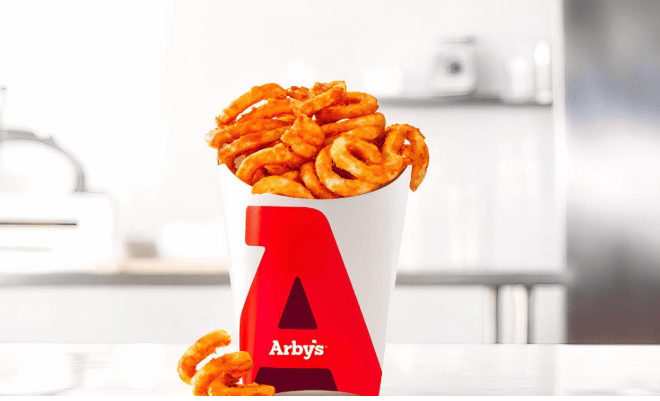
Arby’s has partnered with DoorDash to deliver your favorite food right to your door. You can order classic items like the roast beef sandwich or larger orders like family-sized curly fries.
DoorDash charges a monthly fee of $9.99 for DashPass, which offers free delivery. Non-subscribers pay the menu price, a delivery fee, and a service fee. Delivery fees vary based on location and demand, ranging from $0 to a few dollars.
Service fees start at $0.60 and can increase. Local fees can add $0.10 to $3.40 to your order. You can also tip the driver, typically 15-20% of the order total.
Ordering on DoorDash is easy. Create an account, add payment information, and browse the Arby’s menu. You can add popular items like the classic meal deal to your cart. Choose standard or express delivery or schedule your order for later.
It is more exciting that DoorDash provides real-time updates on your order, from preparation to delivery. You will receive a photo confirmation once your order arrives. Enjoy the convenience of Arby’s delivery and have your favorite food delivered right to your door.
2.Uber Eats
Customers can order Arby’s food through the Uber Eats app or website, simplifying food delivery for both Arby’s and other restaurants. Arby’s uses a separate app from Uber Eats called “Uber Eats Orders” to manage its orders. This app makes it easy for Arby’s to update its menu, track orders, and manage deliveries.
Here is how it works:
- A customer places an order for Arby’s food.
- Arby’s accepts and prepares the order.
- An Uber Eats driver picks up the food from Arby’s.
- The driver delivers the food to the customer.
- The customer can track their order and see updates on the driver’s location.
Uber Eats offers three different plans for restaurants, each with different fees and benefits:
| Plan | Delivery Fee | Pickup Fee | Benefits |
|---|---|---|---|
| Lite | 15% | 6% | Customers find you by name; basic visibility. |
| Plus | 25% | 6% | Enhanced visibility, listed in search results and on the home screen. |
| Premium | 30% | 6% | Priority placement in search, matched Uber ads spending ($100/month), and promotions support. |
3.Postmates
Arby’s partners with Postmates to deliver food. Postmates is a service that delivers food and other items. It started in 2011 in the United States, and it delivers food 24 hours a day, 7 days a week, in over 100 U.S. cities.
Customers can get their food delivered within one hour. Postmates charges a delivery fee of at least $3.99 but sometimes offers lower prices. There is also a 9% convenience fee on each order. Arby’s customers can order food through the Postmates app and track their orders in real-time.
Delivery people, who can earn up to $25 per hour, get 80% of the delivery fee, while Postmates keeps 20%. This partnership helps Arby’s customers enjoy their food quickly and conveniently.
4.Grubhub
Arby’s serves many popular menu items, such as the classic roast beef sandwich, curly fries, and market-fresh wraps. Grubhub, a delivery partner, helps ensure these items reach customers fresh and delicious.
Customers can order Arby’s food through the Grubhub app or website. They can customize their orders, like adding extra sauce or removing pickles, and track them in real time.
After an order is placed on Grubhub, Arby’s receives a notification. They use the Grubhub for Restaurants app to prepare the food. Hot items, like beef ‘n cheddar, are packed in special containers to keep them warm. Cold items, like a jamocha shake, are sealed to stay fresh.
Grubhub drivers pick up orders quickly. They use insulated bags to keep food at the right temperature and use the best routes to deliver food quickly. They can provide large orders, like a $10 family pack, or small items, like $2.49 mozzarella sticks.
5.Restaurant-Specific Delivery
Arby’s offers delivery. You can order food and have it delivered to your home or office. Arby’s partners with companies like Door Dash, Uber Eats, Postmates, and Grubhub to provide food, making it easier for more people to order Arby’s.
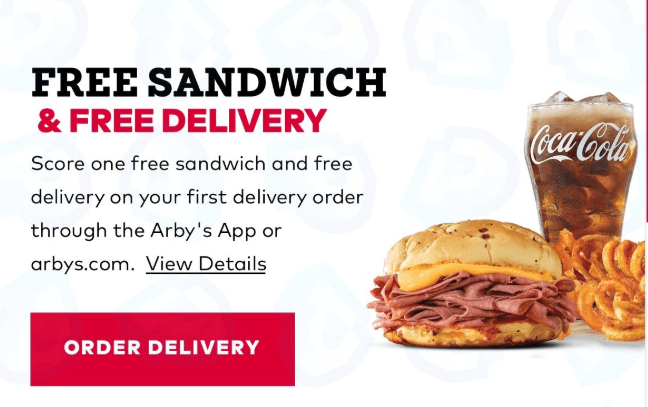
How to Order Arby’s for Delivery?
You can order if you want to enjoy Arby’s without leaving home or office. Ordering online is simple, and here is how to do it:
1.Choose a Delivery Service
Arby’s partners with popular delivery services like Grubhub, Uber Eats, and DoorDash. Use their websites or apps to order.
2.Find Your Local Arby’s
Search for the nearest Arby’s location on the delivery platform. Enter your correct delivery address.
3.Browse the Menu
Choose from a variety of delicious items. Here are some popular options with their prices:
- Deluxe Burger: $7.59
- Double Deluxe Burger: $10.09
- Big Cheesy Bacon Burger: $9.49
- Double Big Cheesy Bacon Burger: $11.99
- BBQ Bacon Burger: $8.79
- Roast Turkey Ranch & Bacon Wrap: $10.69
- Reuben: $10.19
- Greek Gyro: $7.89
- Classic Roast Beef: $6.79
- Crispy Chicken Sandwich: $7.89
- Chicken Tenders (5): $10.19
4.Customize Your Order
Add items to your cart and customize them. For example, add extra sauce or remove ingredients.
5.Review and Checkout
Review your order, apply any promo codes, and confirm your delivery address.
6.Track Your Delivery
Use the app to track your order in real time.
7.Enjoy Your Meal
Once your order arrives, check it and enjoy your delicious Arby’s meal at home.
Delivery Fees and Minimum Orders
When ordering Arby’s through delivery platforms like DoorDash, Uber Eats, Postmates, and Grubhub, be aware of these fees and minimums:
Delivery Fees:
These vary based on platform, distance, and demand. Fees can range from $0 to several dollars.
Service Fees:
Platforms like DoorDash and Postmates charge additional service fees, typically a percentage of the order total.
Minimum Orders:
While there are no strict minimums, smaller orders may incur higher fees or be less likely to be accepted.
Delivery Hours
Arby’s delivery hours coincide with the hours that each restaurant is open. Arby’s restaurants normally open from 10:00 AM to 10:00 PM, though the exact hours may differ depending on the location and day of the week. It’s best to check with your local Arby’s or the delivery platform you plan to utilize to find out the precise delivery hours.
Tips for Getting the Best Delivery Experience
To get the best experience when ordering from Arby’s through any of their partners, follow these tips:
Track Your Order
Stay updated on your delivery status with real-time tracking from partners like DoorDash, Uber Eats, and Grubhub.
Order Ahead
Schedule your delivery for a specific time to avoid wait times and ensure your meal arrives when needed.
Save Your Delivery Information for Quicker Orders
Speed up future orders by saving your address, payment method, and delivery preferences.
Frequently Asked Questions (FAQs)
Can I customize my Arby’s order for delivery?
Yes, you can customize your Arby’s order for delivery. You can add extra sauce or remove ingredients. This customization option is available through delivery partners like Grubhub, Uber Eats, and DoorDash.
Are there delivery fees?
You might have to pay extra fees when you order Arby’s. These fees are for delivery and service. You can only order Arby’s if you live in an area where they deliver. If you are a member of Uber One, you might not have to pay a delivery fee on some of Arby’s orders. You could save money if you join Uber One.
Is Arby’s delivery available at all locations?
No, Arby’s delivery is not available at all locations. Although many of Arby’s locations provide online ordering and delivery services, it is best to check the availability of delivery services in your area through Arby’s website or a delivery app like DoorDash, Uber Eats, Grubhub, or Postmates.
What should I do if my order is wrong or if there are missing items?
Check your order confirmation first to see if your Arby’s order is wrong or if items are missing. If you still have a problem, contact the delivery service you used, like DoorDash or Uber Eats. You can also contact Arby’s customer service for help.
Conclusion
Ordering Arby’s for delivery has never been easier. With various delivery partners, such as DoorDash, Uber Eats, Postmates, and Grubhub, you can deliver your favorite Arby’s meals right to your doorstep. By following the tips and guidelines in this article, you can ensure a smooth and satisfying delivery experience.
Remember to check delivery availability in your area, track your order, and contact the appropriate service provider if you encounter any issues. With convenient online ordering and real-time tracking, you can enjoy the delicious taste of Arby’s without leaving the comfort of your home.


