



Arby’s online experience is a convenient, efficient, and user-friendly experience with Arby’s. It offers Arby’s customers comprehensive and enjoyable ways to engage and interact with the brand, especially in food ordering. Whether through the website or the mobile app, Arby’s strives to make the ordering process seamless and rewarding for all users.
Find out how to make the most of Arby’s online experience in this comprehensive article. It highlights step-by-step food ordering procedures, available online menus, and the numerous benefits you will derive from interacting with Arby’s online. Let’s start with how to place your order.
How to Order from Arby’s Online?
Ordering online from Arby’s is easy and can be done through several methods. You can use the website or the app. Let’s discuss how to use the two methods.
1.Website Ordering
To order Arby’s menu from their website, follow these steps:
- Visit Arby’s website.
- Search and select the ‘Start an Order’ button.
- Choose your location to find the nearest Arby’s restaurants that offer online ordering.
- Browse the menu and choose your favorite option.
- Review your order after adding all menu items to your cart.
- Enter your payment details (credit/debit card, digital wallet, etc.) and confirm your order.
- Select Pickup or Delivery. You’ll need to provide your delivery or pickup information.
- Complete the order by confirming all the details and payment. You should receive a confirmation email or message with an estimated pickup or delivery time.
2.Arby’s App
To place an order using the Arby’s app, follow these steps:
- Download the app from the Apple App Store (for iPhone users) or Google Play Store (for Android users).
- Create an account or log in to your existing account.
- Enable location services for the app to show nearby Arby’s locations and provide accurate pickup/delivery options and available menu items at the displayed locations.
- Browse the menu and select the items you want.
- Review your order once you are done adding items.
- Select Pickup or Delivery. Provide your delivery address if you want it delivered to your location.
- Enter your payment details.
- Place your order after confirming your payment. The app will give you an estimated pickup or delivery time.
- You can pick up or receive your order. If you choose delivery, you can track your order via the app until it arrives at your address.
Arby’s Online Menu
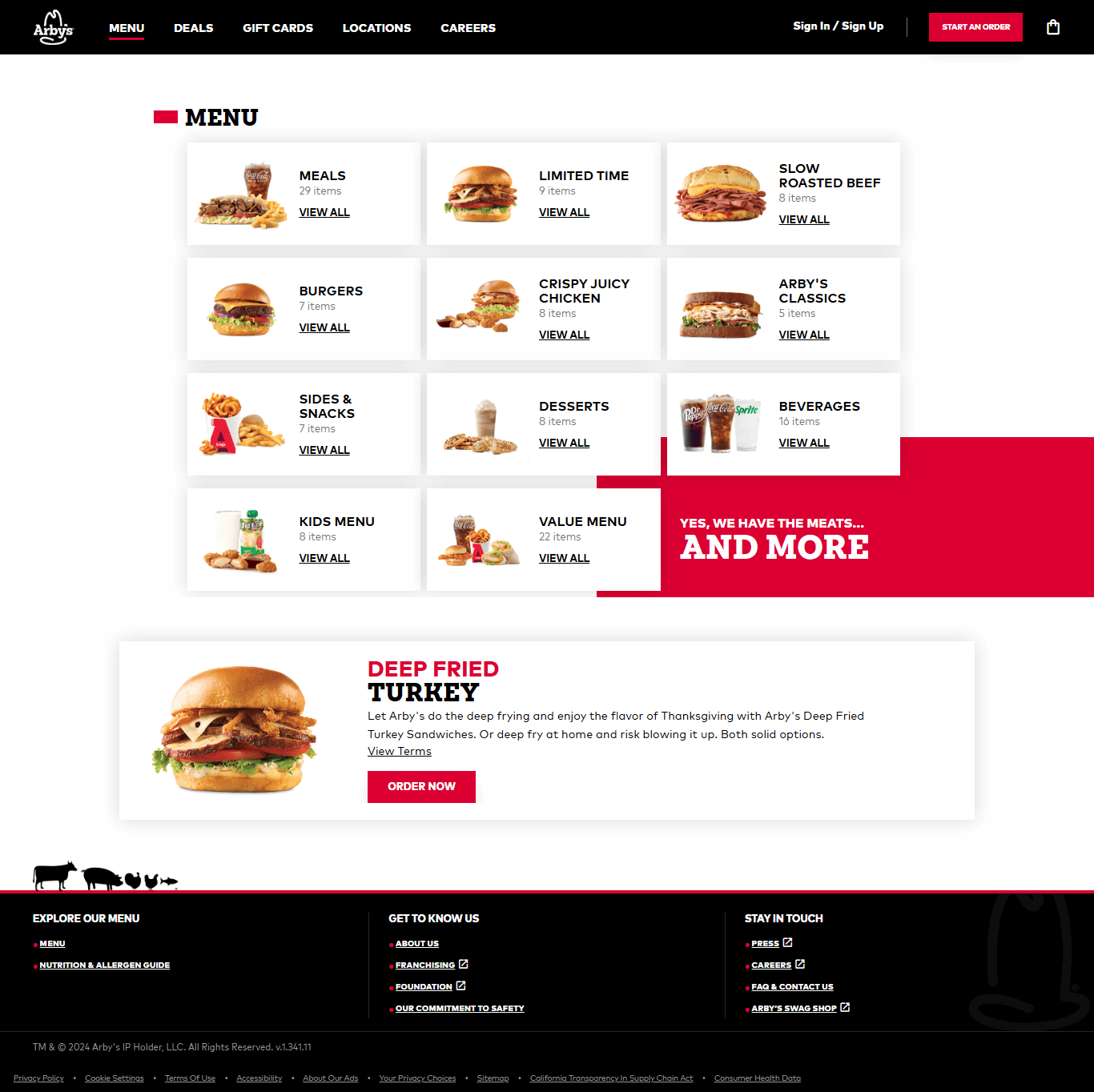
Arby’s offers a variety of menu items online. The menu items can be easily accessed through their website or app for ordering. Their menu includes sandwiches, sides, salads, beverages, and more options. Here’s an overview of their key offerings.
1.Signature Sandwiches
- Classic Beef ‘n Cheddar: roast beef with cheddar cheese and Arby’s signature sauce on a fluffy bun.
- Classic French Dip & Swiss: features roast beef with Swiss cheese, served with French au jus sauce for dipping.
- Chicken Sandwiches: options include Classic crispy chicken, Classic roast chicken, and Spicy Chicken, all served with lettuce and mayo on a toasted bun.
- Roast Beef Sandwiches: options include Classic roast beef, Half pound beef ‘n cheddar, and more.
2.Market Fresh Sandwiches
- Turkey & Swiss: turkey, Swiss cheese, lettuce, tomato, and mayo between slices of wheat bread.
- Roast Beef & Swiss: roast beef, Swiss cheese, lettuce, tomato, and mayo between slices of wheat bread.
- Chicken Caesar Wrap: grilled chicken, romaine lettuce, Caesar dressing, and parmesan cheese, all wrapped in a tortilla.
3.Sides
- Curly Fries: Arby’s famous crispy curly fries are a popular side dish.
- Crinkle-Cut Fries: a classic side with a crisp texture.
- Mozzarella Sticks: crispy breaded mozzarella cheese sticks served with marinara sauce.
- Jalapeño Bites: jalapeño-filled cheese bites served with ranch dressing.
4.Salads
- Chicken Bacon Swiss Salad: grilled chicken, bacon, Swiss cheese, and mixed greens with your choice of dressing.
- Roast Turkey Farmhouse Salad: roast turkey breast, mixed greens, tomatoes, cheese, and your choice of dressing.
5.Drinks
- Soft Drinks: a wide selection of sodas, including Coca-Cola products.
- Milkshakes: vanilla, chocolate, and other seasonal flavors.
- Iced Tea: sweetened or unsweetened iced tea options.
- Lemonade: Regular and flavored lemonades.
6.Breakfast Menu
- Classic Bacon, Egg, and Cheese Croissant: bacon, egg, and cheese on a buttery croissant
- Sausage, Egg, and Cheese Muffin: a sausage patty, egg, and cheese on a muffin
- Breakfast Bacon, Egg, and Cheese Wrap: bacon, egg, and cheese wrapped in a flour tortilla.
7.Desserts
- Apple Turnover: a sweet, flaky pastry filled with apple filling.
- Chocolate Turnover: a rich, chocolate-filled pastry for a sweet treat.
8.Kids’ Menu
- Kids’ Roast Beef Sandwich: a smaller portion of Arby’s classic roast beef sandwich.
- Kids’ Chicken Tenders: breaded chicken tenders served with dipping sauce.
- Kids’ Curly Fries: a kid-sized portion of their popular curly fries.
Arby’s Delivery Online
Arby’s Delivery Online allows customers to conveniently enjoy their favorite Arby’s menu items by having them delivered directly to their doorsteps. The process is simple and fast, and there are a range of options to enhance your experience. Here are the various options.
1.Third-Party Delivery Services
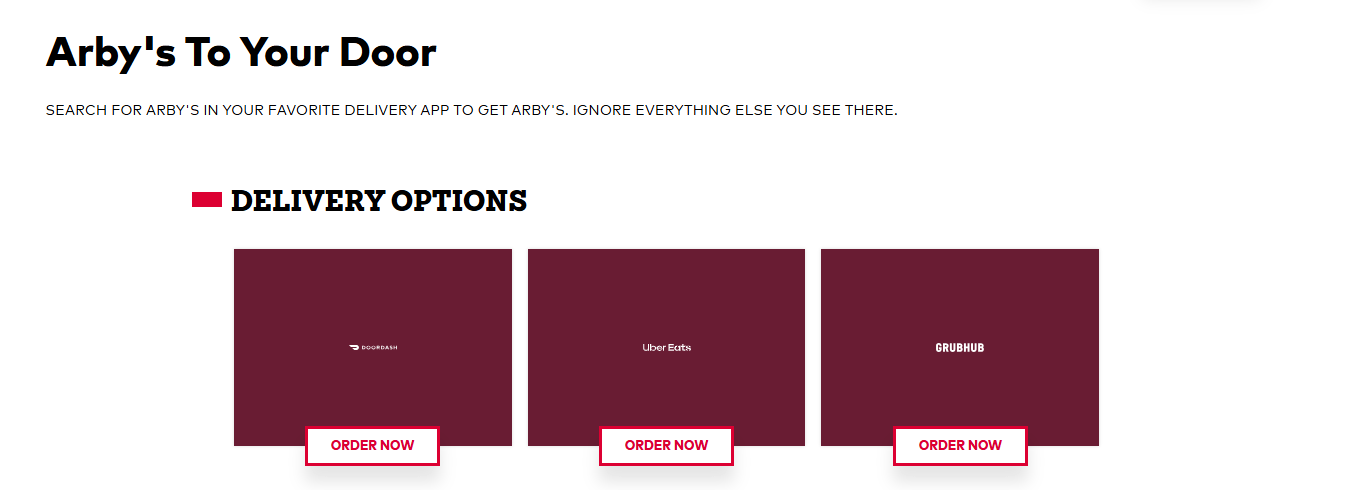
Arby’s uses third-party delivery services to make it easier for customers to get their food delivered. These third-party services typically charge a delivery fee and may offer varying levels of availability depending on the customer’s location. The major third-party platforms that offer Arby’s delivery services include:
Doordash
Arby’s partners with DoorDash for delivery in many areas. Customers can place orders for Arby’s through the DoorDash app or website and get their meals delivered directly to their location.
Uber Eats
Arby’s is also available on Uber Eats, which allows customers to place delivery orders through the app or website.
Grubhub
Grubhub is another third-party delivery service where Arby’s menu items are available for delivery. Customers can access Arby’s offerings via Grubhub’s platform.
Postmates
Postmates also offers Arby’s delivery in some regions, letting customers order food through their app.
2.Order Tracking
When you order Arby’s through a third-party delivery service like DoorDash, Uber Eats, Grubhub, or Postmates, each platform provides instructions on how to track your order. Here’s how you can track your Arby’s order with these services:
DoorDash
How to track:
- After placing an order on DoorDash, you can track your Arby’s delivery status directly in the DoorDash app or on the DoorDash website.
- You’ll receive real-time updates on your order status (e.g., being prepared, out for delivery).
- You’ll also receive an estimated delivery time and the ability to see the driver’s location on a map as they approach your address.
Uber Eats
How to track:
- You can track your delivery in real-time using the app or website when you order Arby’s via Uber Eats.
- The app will show you the status of your order (e.g., preparing, on its way) and provide live tracking of the delivery driver’s location on a map.
- Notifications will also be sent to update you on the progress of your order.
Grubhub
How to track:
- Grubhub offers a real-time tracking system that shows the status of your Arby’s order (e.g., being prepared and out for delivery).
- You can track the order through the Grubhub app or the Grubhub website.
- It also allows the delivery driver to be tracked and provides estimated delivery times.
Postmates
How to track:
- Postmates provides real-time tracking through the Postmates app or website so that you can follow the status of your Arby’s order.
- You’ll see when your order is prepared, picked up, and delivered.
- Postmates will also send push notifications about your order’s status and estimated arrival time.
To track your Arby’s order, open the app or website of the service you used to place your order and navigate to the “Orders” section to find the tracking information for your current delivery.
Benefits of Ordering Online from Arby’s
Here are the benefits you can derive from Arby’s online experience.
1.Convenience
- Order from anywhere: You can place an order from your computer or mobile device, whether you’re at home, at work, or on the go.
- No wait in line: Skip the in-store wait time and place your order directly through the Arby’s app or website.
2.Faster Service
- Avoid in-store wait: Online ordering lets you skip the in-store lines, reducing the time spent waiting at the counter.
- Pre-ordering: You can place an order in advance and schedule a pickup or delivery later, ensuring your meal is ready when you want it.
3.Exclusive Access
- Explore full options: You can easily view the complete menu online, including any limited-time promotions, seasonal items, or new additions that might not be readily available on the in-store menu.
- Online-only discounts: Arby’s often offers special promotions, deals, or discounts for customers who order online through their website or app. You may find exclusive combos or coupon codes.
- Loyalty rewards: Some online ordering systems (like the Arby’s app) offer loyalty programs or points for rewards on future orders.
Frequently Asked Questions
How do I place an order online with Arby’s?
Placing an order online with Arby’s is straightforward. You can do it through their website or mobile app.
What payment methods does Arby’s accept for online orders?
Arby’s accepts several payment methods for online orders, such as credit/debit cards, Arby’s gift cards, PayPal, Apple Pay or Google Pay, and cash.
Can I customize my meal when ordering online?
Yes, you can customize your meal when ordering online from Arby’s. Arby’s provides several options to personalize your order.
Is there a delivery fee for ordering Arby’s online?
Yes, there may be a delivery fee when ordering Arby’s online, but the exact fee depends on how you place your order.
Conclusion
Arby’s online experience combines convenience, customization, and rewards to create a seamless journey for customers, whether ordering food or engaging with the brand online. Use the tips in this guide to make the most of your Arby’s online experience.


