
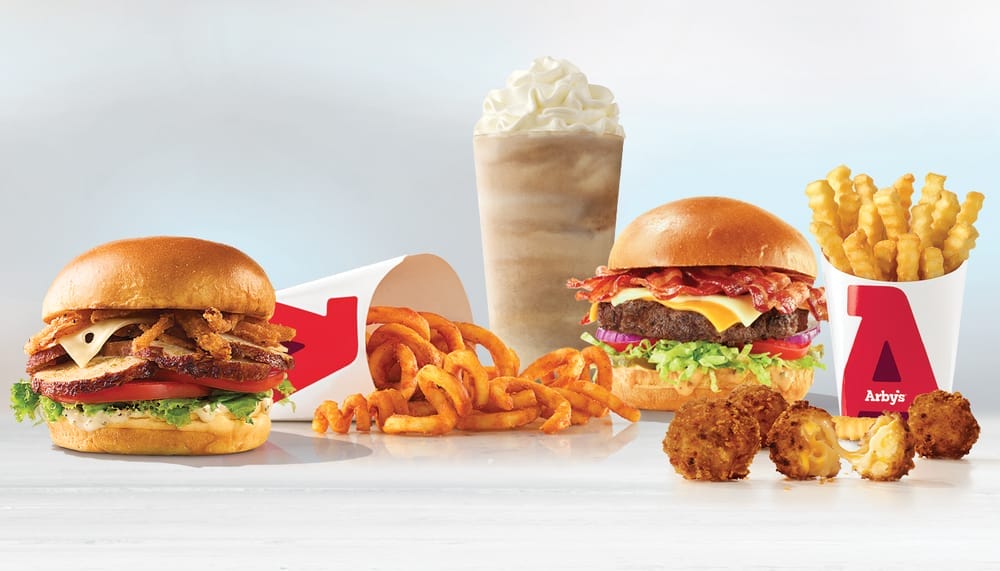


Nothing compares to Arby’s when you’re seeking a delicious roast beef sandwich. But what if you’re too busy at work or too comfortable at home to go get it? Your favorite Arby’s meals may now be delivered right to your door, thanks to DoorDash.
This in-depth guide will teach you how to use DoorDash to order Arby’s, customize your meal, find the best offers, and guarantee a prompt, fresh delivery. Relax and enjoy this piece!
Step-by-Step Guide on How to Order Arby’s with DoorDash
Using DoorDash to order Arby’s is simple. To enjoy those mouthwatering sandwiches and curly fries without getting off your couch, simply follow these easy steps.
1. Visit the DoorDash website or download the app
First, get the DoorDash app from the Google Play Store or App Store. An alternative is to use your PC to access the DoorDash website.
2. Create an account or sign in
Sign up using your Facebook account, Google account, or email address if you’re new to DoorDash. If you are an existing user, you only need to log in.
3. Put in your delivery address
To find out if Arby’s delivers to your area, enter your delivery address. This also aids DoorDash in displaying the closest Arby’s locations.
4. Look for Arby’s
Use the search bar that is at the top of the website or app to find Arby’s. From the list of restaurants that appear, pick it.
5. Browse the menu
Browse through the various menu categories, such as the sandwich, side, and dessert menu categories, once you’re on Arby’s DoorDash page.
6. Choose your Items
To order an item, click on it. You can modify the quantities you want and add them to your cart.
7. Customize your order
You can customize an item before adding it to your cart. Add extra toppings, select different sizes, or specify custom instructions.
8. Review your cart
To review your order, tap the cart icon. Verify that every item and customization is accurate.
9. Use coupons or promo codes
To save money, use any coupons or promo codes you may have before checking out.
10. Go ahead and check out
After choosing your preferred payment option, place your order and, if you’d like, tip your Dasher.
11. Monitor your delivery
Once your order has been placed, you can track its progress in real-time until it gets to your house.
Tips for Customizing Your Arby’s Order on DoorDash

Customizing your meal to your liking is one of the benefits of ordering from DoorDash. Here are some tips on how to go about it.
Special Instructions
Any changes, like “no onions” or “extra sauce,” should be included in the “Add Special Instructions” field.
Swap Ingredients
You can change the sides or drinks for combo meals to suit your taste and health needs.
Include Additional Items
To make your meal even better, you can add more cheese, bacon, or jalapeños.
Meal Combos
To enjoy a full eating experience, choose combo meals, which are frequently more affordable.
How to Get the Best Deals on Arby’s via DoorDash?
Everybody enjoys a good deal, and using DoorDash to order your Arby’s meal provides several chances to save money. Here are some ways you can get the best deals on Arby’s via DoorDash.
DoorDash Promotions and Coupons
DoorDash regularly offers promotions and discounts. For the most recent offers, check the ‘Promos’ area of the app or go to DoorDash’s official promotions page. Additionally, current promo codes are listed on websites like RetailMeNot.
Using DashPass for Free Delivery
The benefits of signing up for DoorDash’s DashPass include free delivery and lower service costs for eligible orders. This membership can result in substantial savings for regular customers. DoorDash’s DashPass page has more information.
In-App Discounts
For exclusive discounts and limited-time deals, pay attention to DoorDash’s emails and in-app notifications. These promos can help you save some money on your orders.
Tips for Ensuring Fast and Fresh Arby’s Delivery
Consider the tips below to ensure that your food comes hot and delicious.
1.Choose the Nearest Location
Choosing the Arby’s that is nearest to you guarantees faster delivery times, ensuring that your food arrives hot and fresh.
2.Order During Off-Peak Hours
Orders placed during off-peak hours may be prepared and delivered more quickly.
3.Double-Check Your Order
Verify that all of the items and customizations are right before completing the order.
4.Track Your Delivery in Real-Time
To keep tabs on the status of your order and anticipate when it will arrive, use the tracking tool in the app.
Advantages of Using DoorDash to Order Arby’s

In addition to convenience, ordering Arby’s through DoorDash has a number of benefits. Some of these benefits are:
Delivery Without Contact
For increased safety and peace of mind, choose contactless delivery.
History of Orders
Access your previous orders to quickly reorder your favorites.
Variety
View the whole Arby’s menu, including any item that might not be available in-store.
Frequently Asked Questions (FAQs)
Does Arby’s offer any exclusive deals on DoorDash?
Yes, Arby’s periodically offers special deals and promotions via DoorDash. For the most recent offers, frequently check the app.
Can I customize my Arby’s order on DoorDash?
Of course! With DoorDash, you can customize your order to your liking by giving special instructions and changing some of the ingredients.
Is there a delivery fee for Arby’s orders through DoorDash?
The cost of delivery varies according to your location and distance from the restaurant. If you sign up for DashPass, delivery fees can be eliminated on eligible orders.
How long does it typically take to get Arby’s through DoorDash?
The distance between you and the restaurant, as well as the level of demand at the moment, affect delivery timings. Your order should arrive in 30 to 45 minutes on average.
Conclusion
The pleasure of your favorite meals is delivered straight to your house when you order Arby’s through DoorDash. It has never been simpler to sate your Arby’s craving thanks to customizable options, exclusive offers, and tips for a seamless experience. So, keep in mind that your favorite roast beef sandwich is only a few taps away the next time you’re hungry.


