



Are you craving your favorite Popeyes meal or snack but don’t want to leave the comfort of your home or office? I’ve been in that situation many times, especially when I have a lot of work on my desk and want to grab a quick snack.
DoorDash always comes through for me. Not just for Popeyes meals, but for other restaurants as well. I can be home or in my office and order my favorite meals. A delivery guy will call in a few minutes to let me know my package has arrived.
Cool, right?
You can also enjoy this level of comfort. Keep reading let me show you how.
How to Order Popeyes Through DoorDash
DoorDash is not exclusive to Popeyes. It’s a delivery service that works with many restaurants in the United States. However, in this guide, I’ll show you how to order Popeyes specifically through DoorDash. Here are the steps involved:
- Download the DoorDash App or Visit the Website: The first step to using this delivery service is downloading its app or visiting the website. Android and iOS users can download and install the app from their respective app stores.
- Create or Log Into Your Account: Already have an account with DoorDash? Then, log into the account. Don’t have an account? Then, you have to create one.
- Enter Your Delivery Address: After signing up with your email, the next step is to enter your delivery address. Input your delivery location to see if Popeyes is available in your area. This is very important.
- Search for Popeyes: You can search for Popeyes in the DoorDash platforms in two ways. The first method is to enter “Popeyes” in the search bar and hit the search button. The second is to browse nearby restaurants to find Popeyes.
- Browse the Menu and Add Items to Cart: Seen Popeyes near you? It’s time to choose your favorites. Browse the Popeyes menu items on the platform to find what you want. Add your items to the cart and customize your selections.
- Checkout and Confirm Order: Once you confirm the items you want to buy, proceed to the checkout. Choose your preferred payment method, review your order, and place it.
- Track Your Delivery: DoorDash doesn’t keep you in a blind spot after ordering. The app lets you track your order and see real-time updates on your delivery.
Popeyes Menu Items You Can Order Through DoorDash
Not every menu item on the Popeyes website or app is available for ordering through third-party platforms like DoorDash. However, DoorDash offers a full range of Popeyes menu items you can order, including:
Signature Chicken Meals

Popeyes signature chicken meals can never go missing on the DoorDash menu. The company is well-known for its chicken meals, which are available on all delivery platforms.
You can order Popeyes’ famous fried chicken in mild or spicy flavors from this platform. Family meals, combos, and tender boxes are also available for order through this platform.
Chicken Sandwiches

Craving Popeyes chicken sandwiches? You can order and customize your selection on this platform. Whether you want it spicy or classic, DoorDash will deliver it to your doorstep.
Wraps are not left out. The menu features Popeyes signature wraps made with the finest ingredients.
Seafood Options
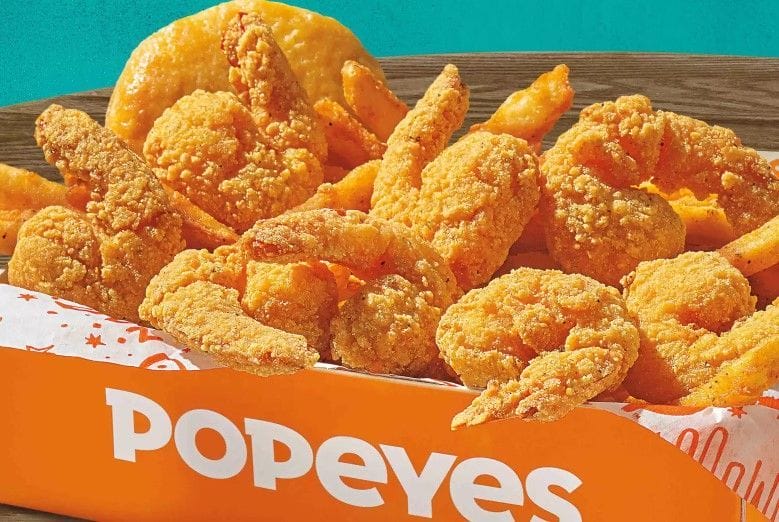
Are you a seafood lover like me? This is one of my frequent weekly orders. I love seafood, and I like how Popeyes prepares it. If you’re craving something different, I recommend you try the Crispy Popcorn Shrimp.
The hearty Shrimp Tackle Box is another great option. Interestingly, you can order these items as a combo, meaning they’ll come with a side and drink of your choice.
Sides and Biscuits

Sides and biscuits are not left out of the equation. These items help complete our meals and make them more satisfying. Popeyes’ menu on DoorDash has various sides from which to choose, including Cajun Fries, Mac & Cheese, and Red Beans & Rice. Popeyes iconic buttery Biscuits are also on the menu.
Desserts and Drinks

A meal isn’t well-rounded or complete without a dessert or drink to wash it down. Popeyes has various options for satisfying your sweet tooth, such as the Cinnamon Apple or Apple Pie.
When it comes to refreshing drinks, you have tons of options. Sodas, lemonades, juice, and other healthy options are available on the menu.
DoorDash Delivery Fees and Discounts for Popeyes
When ordering Popeyes through DoorDash, understanding the fees and discounts can save you money:
- Standard Delivery Fee: Typically, delivery fees range between $1.99 and $5.99, varying based on distance and timing day.
- Service Fees: DoorDash typically adds a service fee of around 10-15% of the order subtotal.
- Discounts and Promotions:
- Look for promo codes and special offers in the DoorDash app.
- DashPass Members get free delivery on orders over a certain amount, usually $12.
- First-Time Order Deals: New users often receive discounts like $5 off their first order or free delivery.
Delivery Times and Options
DoorDash provides delivery timing options that align with your schedule.
- Standard Delivery Times: Delivery typically takes 30 to 45 minutes, depending on your location, restaurant preparation time, and traffic.
- Scheduling Orders:
- You can schedule a delivery for later in the day or even the next day.
- Choose an immediate delivery option for faster service if available.
Frequently Asked Questions
How do I order Popeyes from DoorDash?
Simply open the DoorDash app or website, search for Popeyes, add your favorite items to your cart, and complete the checkout process.
Are there any delivery fees for Popeyes on DoorDash?
Yes, standard delivery fees range from $1.99 to $5.99 depending on factors like distance and demand.
Can I customize my Popeyes order on DoorDash?
Certainly! You can personalize sandwiches and meals, choose options like spicy or mild chicken, and include additional sauces.
Wrapping Up
Ordering Popeyes through DoorDash offers the ultimate convenience for satisfying those fried chicken cravings from the comfort of home. With a few taps on your phone, you can enjoy a full menu of Popeyes classics delivered straight to your door. Whether you’re a loyal fan of their crispy chicken or just want a quick and easy meal, DoorDash makes it fast, easy, and stress-free. So sit back, relax, and let DoorDash handle the rest.


